100% local · nothing leaves your machine
Every chat. Nothing in the cloud.
WhatsArchive opens the .zip that WhatsApp exports and hands you back the whole conversation — photos, audio, video — with a search WhatsApp never had. It all runs on your computer: no servers, no accounts, nothing uploaded.
Free, no account. For Mac, Windows and the browser.
In three steps
From a forgotten .zip to your chat, read the way it should be.
Nothing to install, no account to create. Export, drag, done.
Export the chat
From iPhone or Android, with Attach Media. We walk you through it step by step below.
Drag in the .zip
Drop it onto the app. It unzips entirely in memory: photos, voice notes, videos and documents included.
Search and relive it
Accent-insensitive search, stackable filters, jump by date, and several chats at once. All on your computer.
How-to guide
Every feature, shown in the real app.
Every screenshot is WhatsArchive running on a real chat. What you see here is exactly what you'll see.
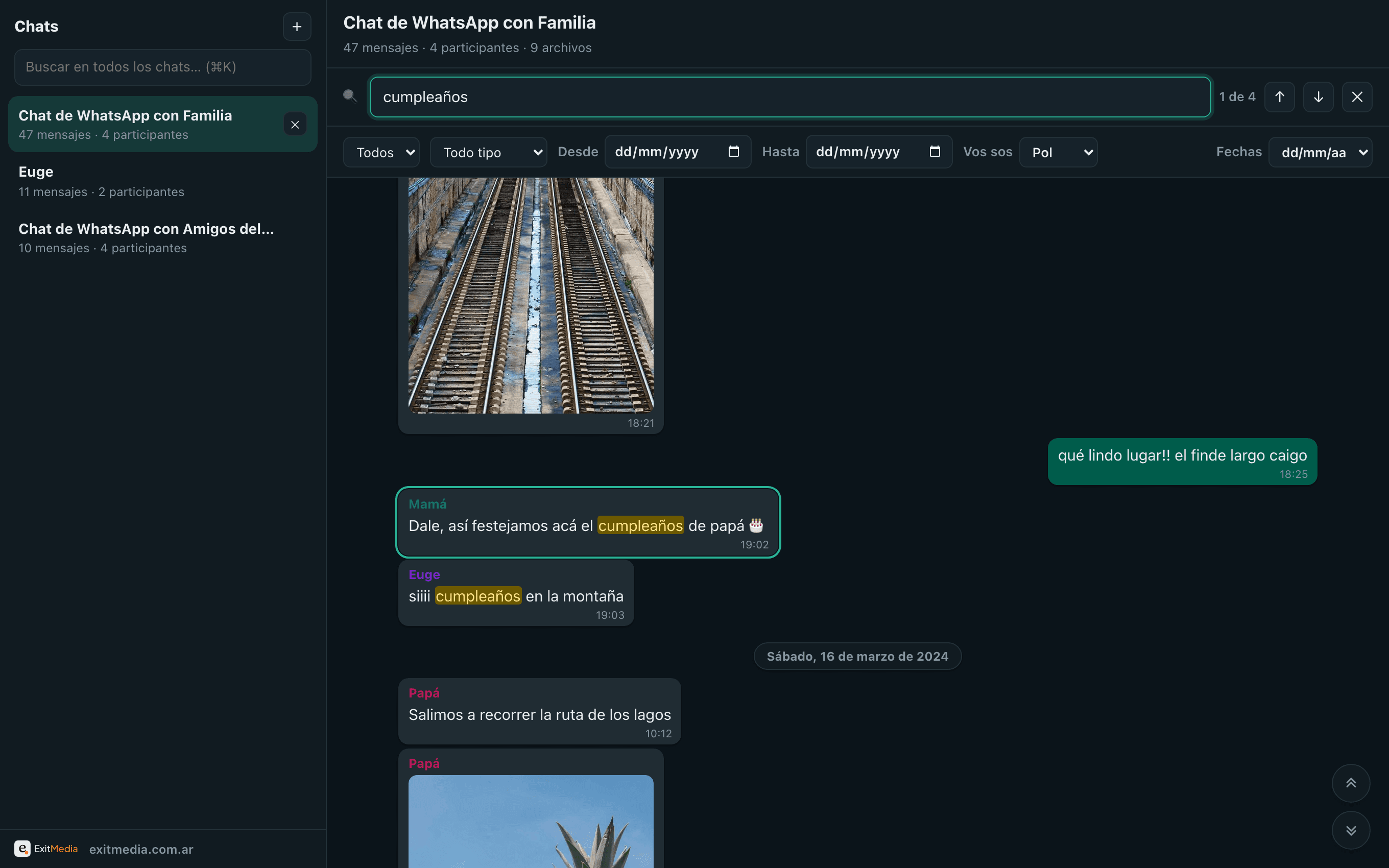
Find any message instantly.
Searches the text, the sender and even file names. Case- and accent-insensitive — "cafe" finds "café" — it highlights every match and jumps to it, centered, with a "3 of 47" counter.
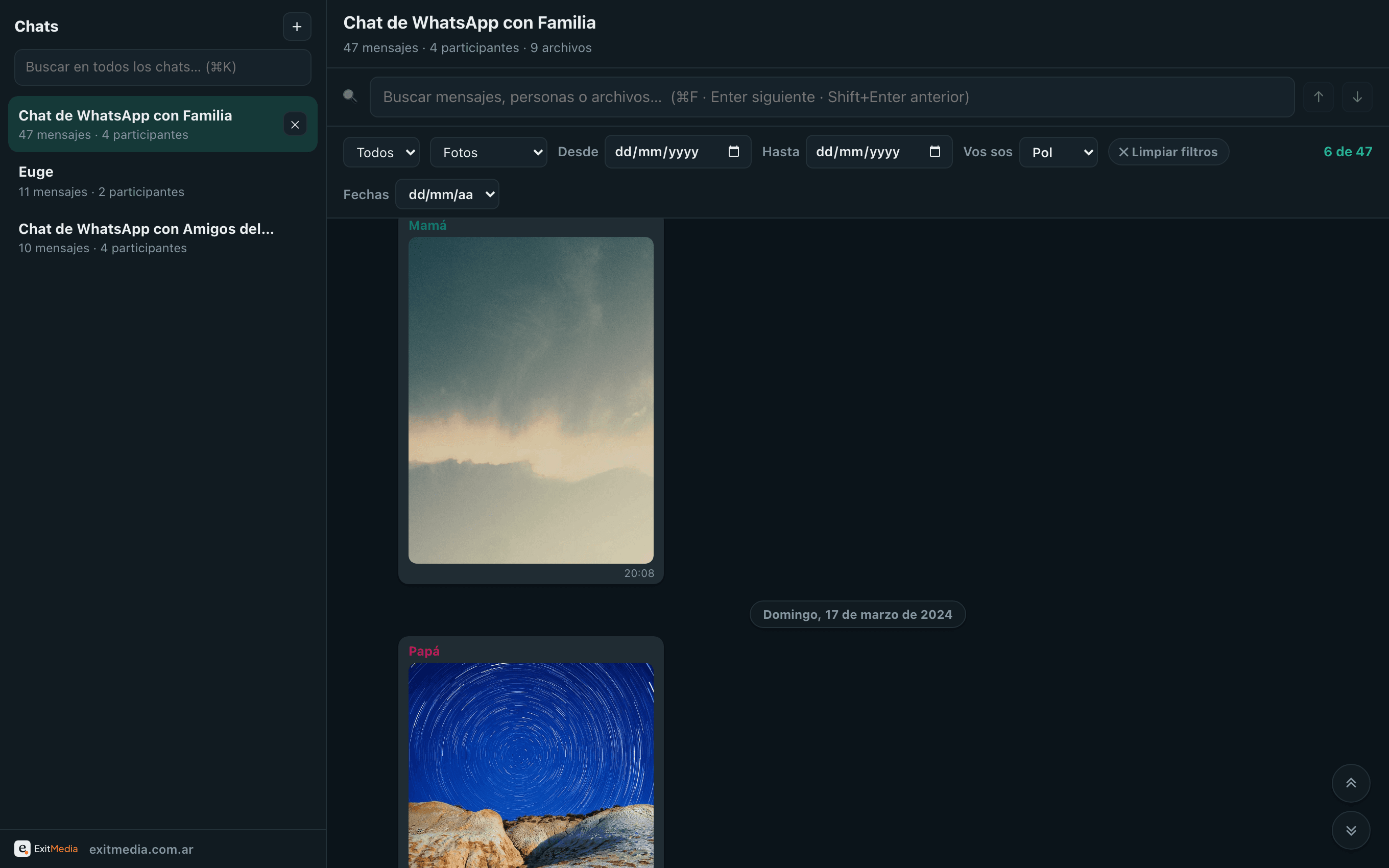
Isolate exactly what you're after.
Filter by sender, by type (photos only, audio only, documents only…) and by date range. They stack together, and search runs over whatever is left. The counter tells you how many messages you are seeing out of the total.
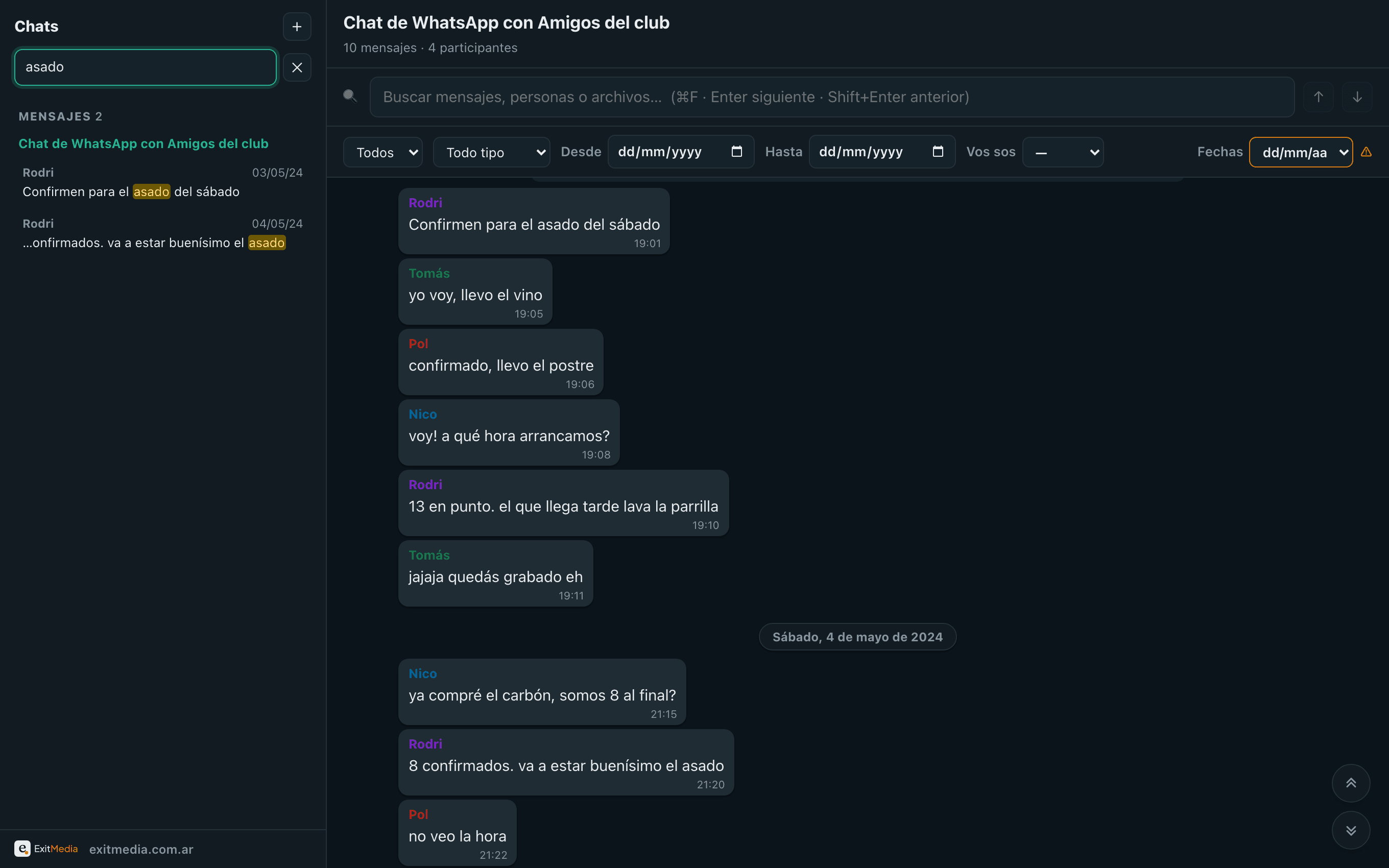
One search for all your chats.
With several chats loaded, search all of them at once. Results are grouped into People — matching senders, with a direct link to their messages in each chat — and Messages, with the snippet highlighted. One click takes you to the exact message, centered in its conversation.
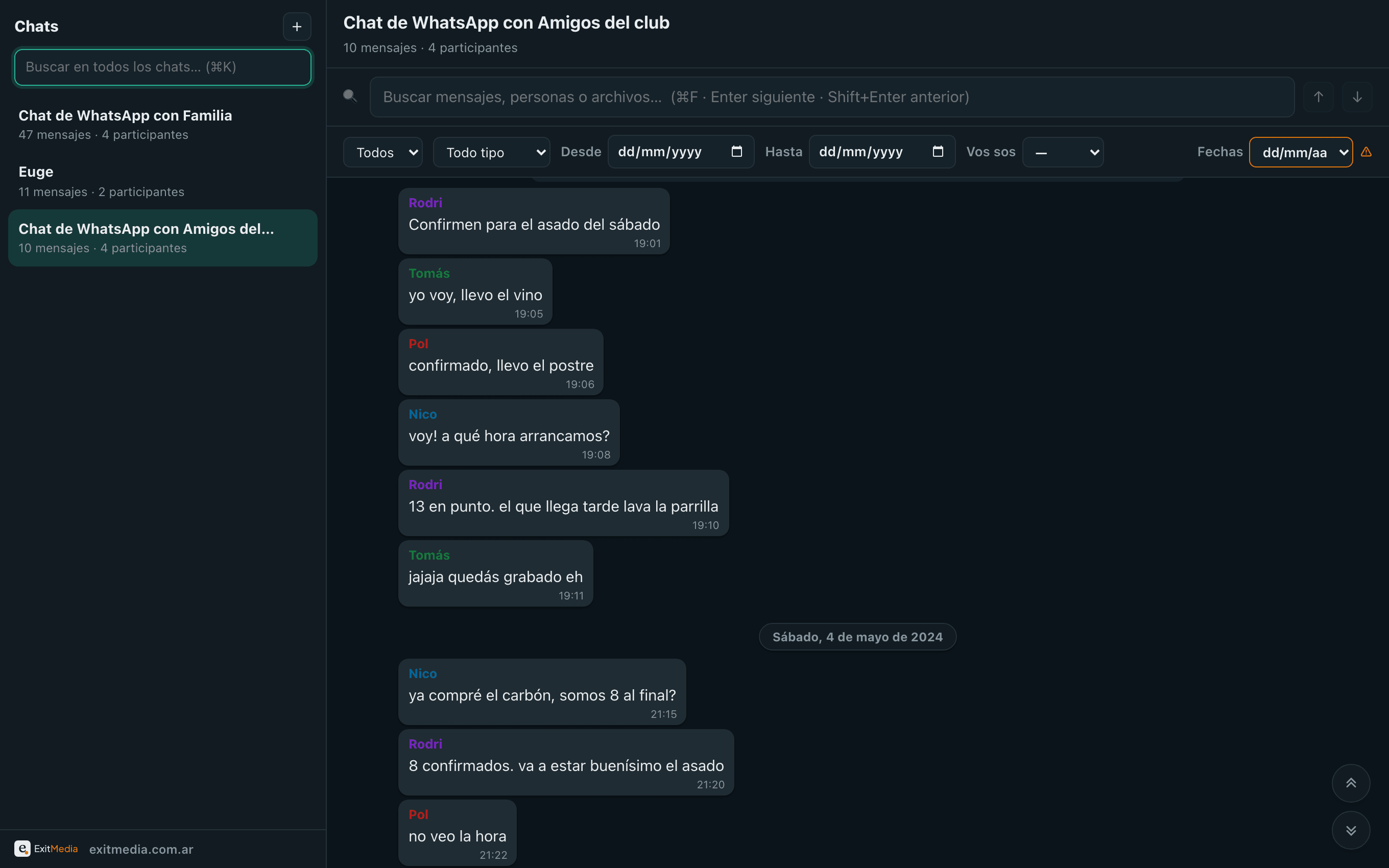
All your archives, open together.
Load several .zips at once, or drop more onto the app anytime. Each chat lives in the sidebar and closes on its own, freeing its memory. The list is virtualized: a chat with 10,000+ messages scrolls without a single stutter.
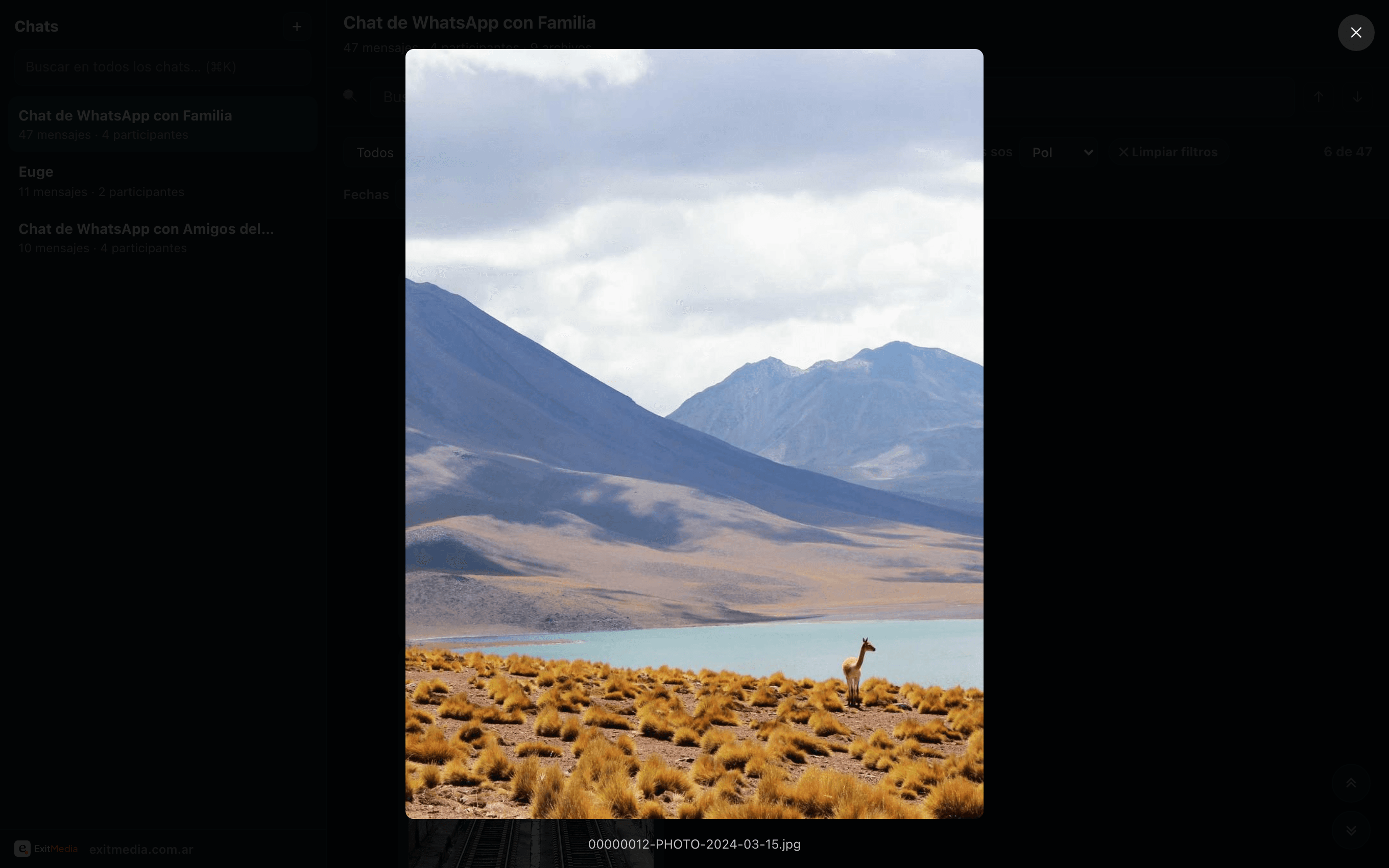
Media, just like the original chat.
Photos open in a fullscreen viewer; voice notes and audio get their own player; videos play inline and documents download. WhatsArchive infers the type from the extension and the file name. If a file didn't make it into the zip, it shows an honest placeholder in its place.
Regional dates and "That’s you".
WhatsApp doesn't mark which messages are yours, or whether dates are dd/mm or mm/dd. WhatsArchive detects the date order from the values and the chronology; if it's ambiguous, it flags it with ⚠︎ and you can set it by hand. And with “That’s you” your messages move to the right, in green, just like WhatsApp.
New · AI that runs in your browser
Now it understands your audio and photos, too.
WhatsArchive adds on-device AI: it transcribes voice notes and describes photos so you can search by what was said and by what is shown. Like everything here, it runs on your machine — your audio and photos are never uploaded.
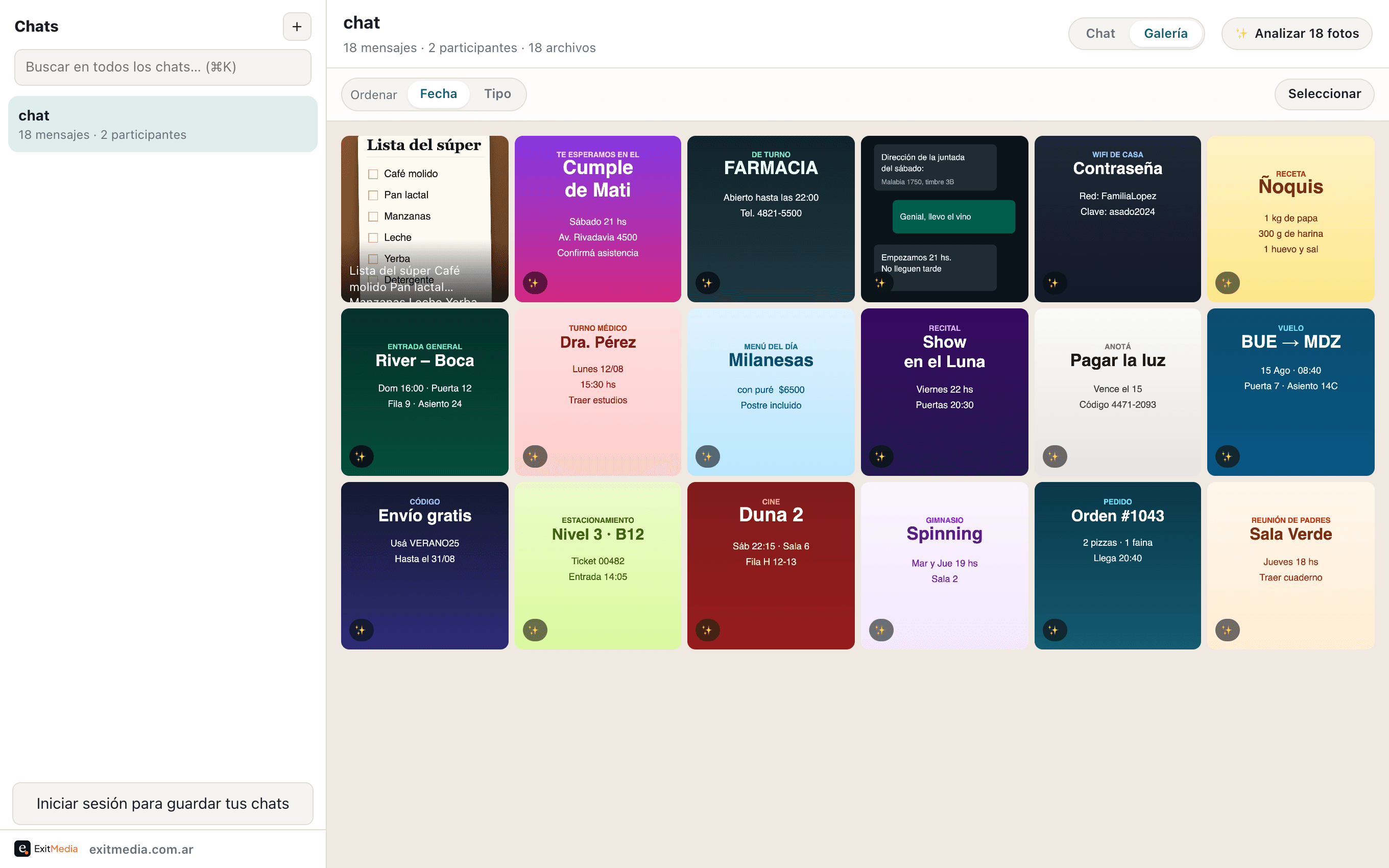
Search what's shown and what's written.
The gallery gathers all your photos and videos, and with one tap it describes each image and reads the text inside them — signs, lists, flyers, screenshots. It all becomes searchable: type "pharmacy" or "Rivadavia" and the exact photo appears.
Transcribed and searchable.
Tap Transcribe and the voice note turns into text right there, in your browser. Then search finds what was said inside the audio, just like in a written message.
Download the model once, done.
The first time you use it, it downloads the AI model (with a progress bar). It stays saved in your browser: every use after that is instant and works offline. The model downloads once; your audio and photos, never.
Export guide
How to get the .zip off your phone.
The first step always happens in WhatsApp. Pick your phone and follow the four steps.
Open the chat and tap the name
Open the chat you want to save and tap the contact or group name at the very top.
Scroll down to "Export Chat"
On the contact info screen, scroll all the way down and choose Export Chat.
Choose "Attach Media"
WhatsApp asks whether to include media. Tap Attach Media to take your photos, audio and video with you.
Save it as a file
In the share sheet choose "Save to Files". You get a .zip — that’s what you drag into WhatsArchive.
The .zip never leaves your phone or your computer. WhatsArchive opens it locally in the browser. Move it over AirDrop, Drive, email or a cable — whatever is easiest — and drag it into the app whenever you want to read it.
Why it's genuinely private
Nothing leaves your machine. And that's not a promise — it's how it's built.
WhatsArchive has no backend. The .zip is unzipped and read entirely on your computer — in the desktop app or the browser. There is nowhere to send your data, even if we wanted to.
servers
No backend receives, stores or processes your chats. Everything runs client-side.
works offline
The desktop app doesn't need the internet; neither does the web version, once loaded.
In the interest of honesty
A couple of known limits.
We'd rather tell you upfront than surprise you. None of this puts your data at risk.
Voice notes (.opus) in Safari
Safari won't play WhatsApp's .opus codec — in Chrome, Firefox or Edge it sounds perfect; in Safari you can download them. But transcription works everywhere: the AI decodes the audio on its own, so you can still read and search it.
Very large zips
A multi-GB .zip is unzipped entirely into memory. For chats with a lot of video, use a 64-bit browser with RAM to spare.
Ready to open your first chat
Some conversations are worth reading again.
Download WhatsArchive, export a chat, and find all of it. No rush.
Free, no account. It all happens on your computer. How to export a chat →